
Your IPTV playlist on your phone and Android TV.
None TV is an IPTV player. Add your Xtream, M3U or Stalker playlist and it lays out live channels, the TV guide, movies and series properly. No ads.
Get it on Google PlayFree on your phone · Android TV with Premium · No content included, you bring the playlist
Set up in three steps
No sign-up needed. Link an account only when you want your playlist on more than one device.
Install
Get it from Google Play on your phone, tablet or Android TV. Android 7.0 or later.
Add your playlist
Enter the Xtream details, M3U link or Stalker portal your provider gave you. On a TV, skip the remote: scan the QR code and type it on your phone.
Watch
Channels are sorted into their groups, movies and series into categories. Where you left off and your favourites stay the same on every device.
ANDROID TV
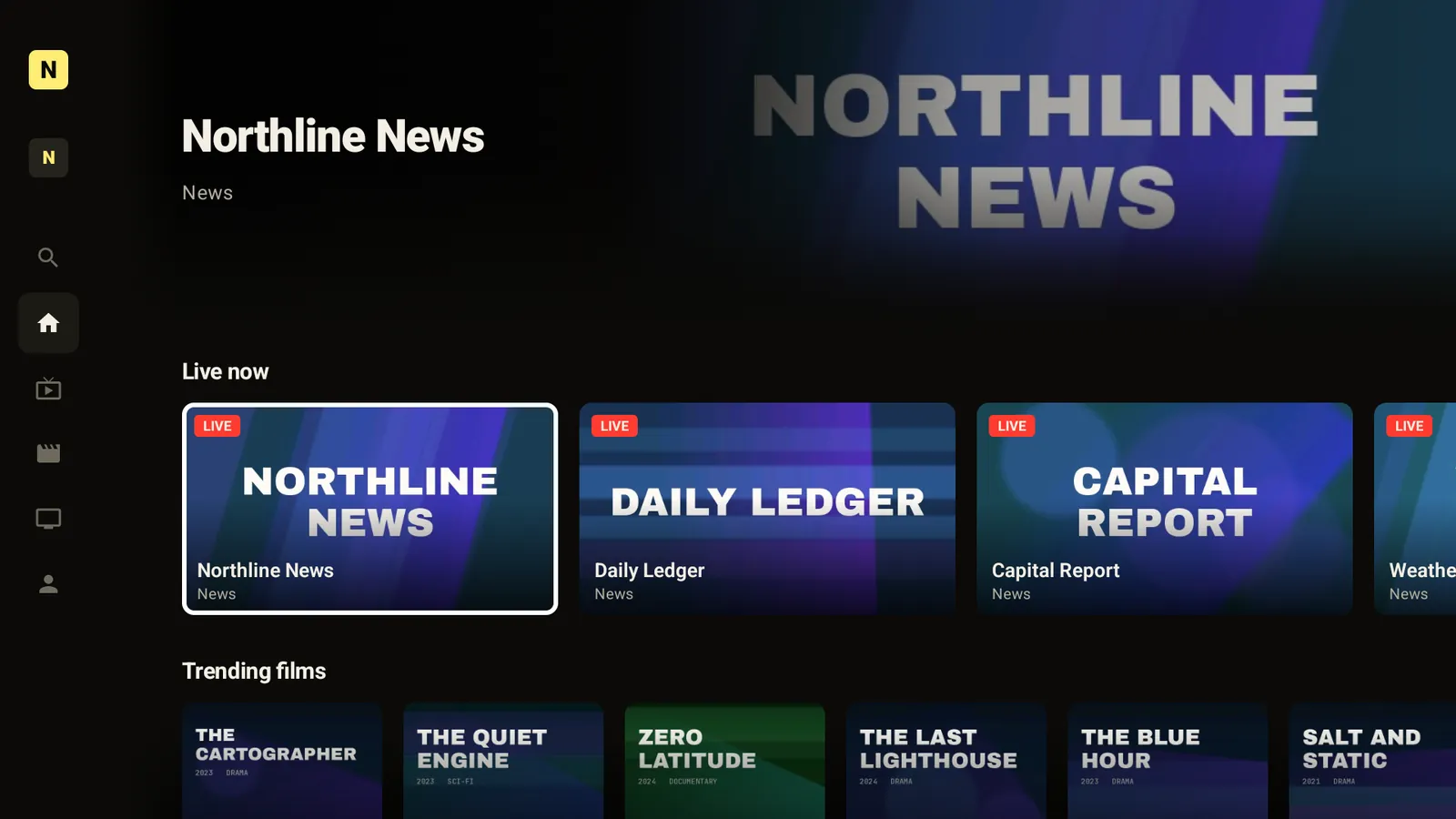
Made for the remote.
- Every screen works with the D-pad. Not a touch app squeezed onto a TV.
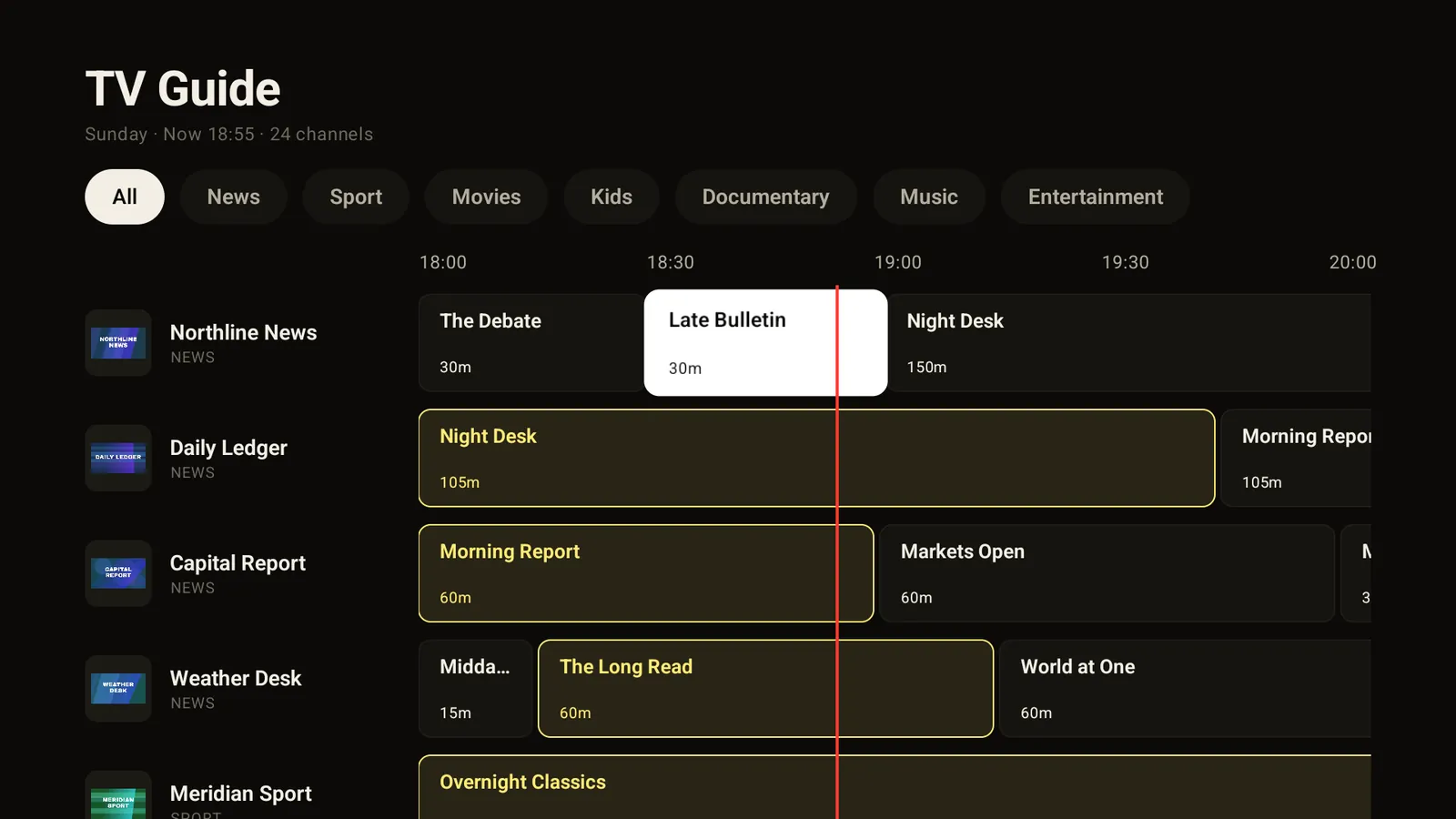
- TV guide (EPG) channel by channel, hour by hour. What's on, at a glance.
- Quick zapping: jump to the previous or next channel without leaving the player.
- No phone needed. Create the account on the TV, or link it to your phone's account with a QR code.
- Resume movies and series where you stopped, with the next episode starting on its own.
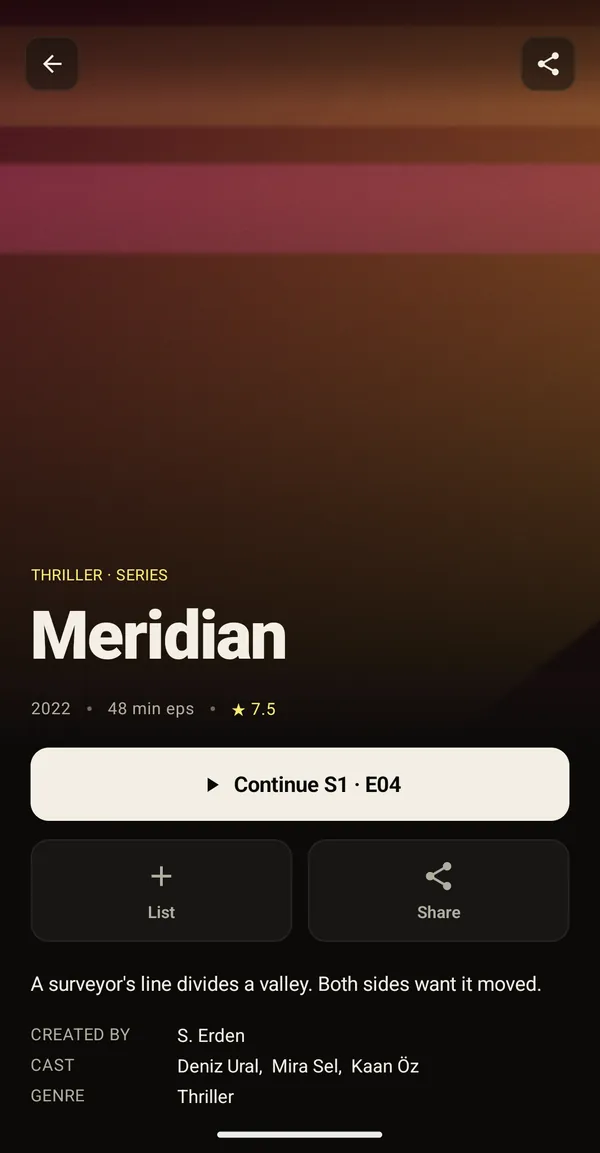
PHONE AND TABLET
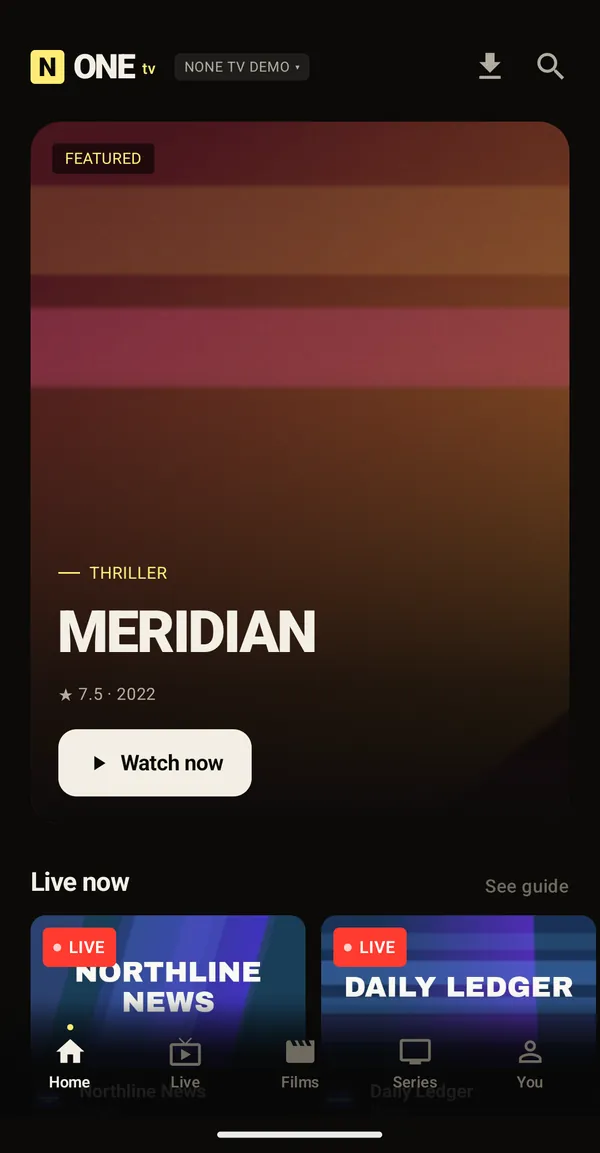
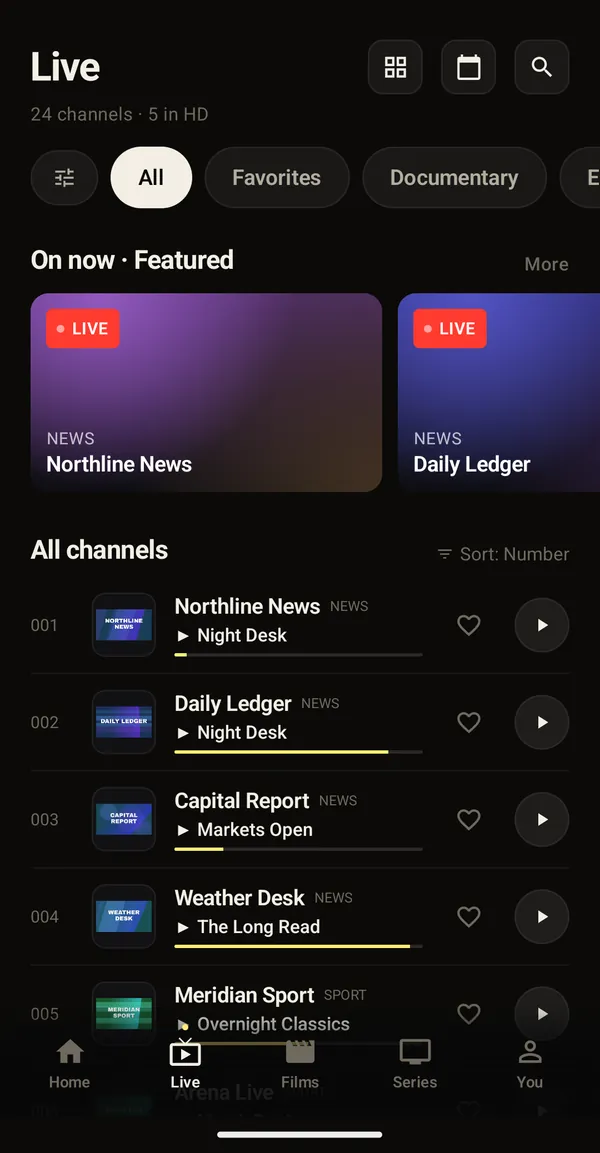
The same playlist in your pocket.
- Live channels and the TV guide, favourites and channel search.
- Movies and series with posters, descriptions and episode lists.
- Picture-in-Picture and background audio.
- Audio and subtitle tracks, playback speed, sleep timer.
- Send to TV: start what you're watching on your paired TV.
Free and Premium
No ads on either. Watching on Android TV is part of Premium, which you buy inside the app through Google Play, on the phone or on the TV.
Free
On one phone or tablet
- 1 playlist
- 1 phone or tablet
- Live TV, TV guide, movies and series
Premium
For every screen in the house
- Watching on Android TV
- Up to 5 playlists
- Phone + tablet + 3 TVs
- No caps on watchlist and history
Questions
Does None TV come with channels?
No. None TV is a player. Channels, movies and series come from the IPTV provider that gave you your playlist. Without a playlist there is nothing to watch in None TV. If a channel won't open or keeps freezing, the problem is usually on the provider's side.
Which playlist types can I add?
Xtream Codes (server address, username, password), an M3U / M3U8 link, or a Stalker portal. You can add a separate EPG link too.
How do I use it on Android TV?
Install None TV from Google Play on the TV. Either start right on the TV, or scan the code on screen with your phone to link it to the account on your phone. You don't have to type a playlist letter by letter with the remote: scan the QR code and enter it on your phone or computer.
I have an iPhone. Can I still use it on my TV?
Yes. The TV app works without a phone: create the account on the TV and add your playlist through the QR code in your iPhone's browser. Watching on the TV needs Premium, which you can buy right on the TV.
Is None TV free?
On a phone or tablet, yes: the free version covers one playlist on one device. Watching on Android TV is part of Premium, which also allows up to 5 playlists, a tablet and up to 3 TVs. Neither version has ads.
Where are my playlist details kept?
On our server, encrypted, so they reach your other devices and survive a phone change. We don't read your provider details or use them for anything but sending them back to your own devices. More in the Privacy Policy.